Skip to content

Bluetooth serial terminal · iPhone, iPad & Android

Your Bluetooth device,
in any browser.

BlueTerm connects to BLE and Classic serial devices and turns your phone into a bridge: flip one switch and any browser on the same Wi‑Fi becomes a full terminal and live plot. No cable, no driver, nothing to install on the computer.

Free with ads · BlueTerm Pro: one-time purchase, no subscription · No account

BlueTerm Bridge screen with the bridge switched on, a QR code and the local address to open in a browser
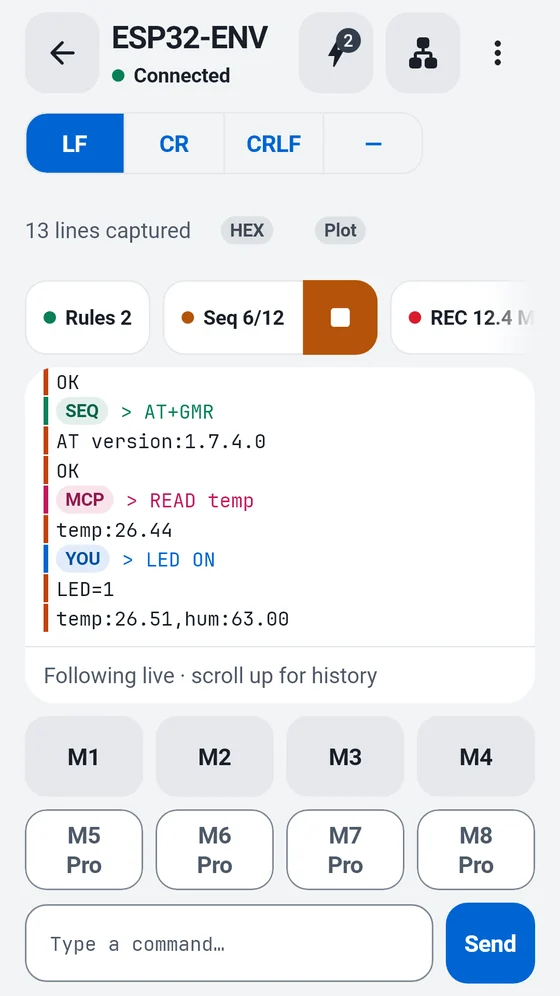
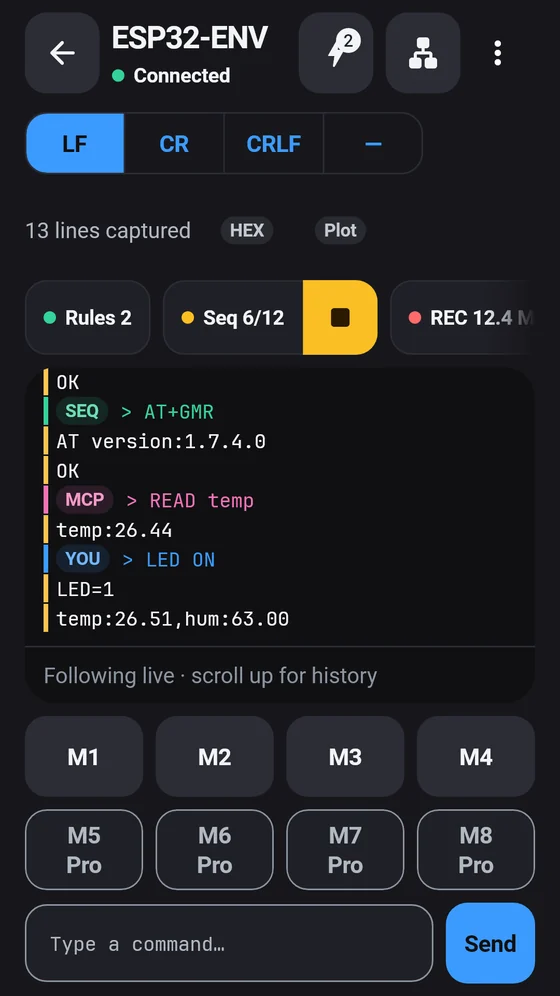
BlueTerm terminal showing live sensor lines with markers for rules, sequences and AI agent commands BlueTerm terminal showing live sensor lines with markers for rules, sequences and AI agent commands

How it works

Phone in the middle, terminal on your desk

  1. 01

    Connect on the phone

    Scan, then tap your board. BLE devices with the Nordic UART service connect automatically; on Android, paired Classic serial modules work too.

  2. 02

    Flip the bridge on

    Set an access password and switch the bridge on. The phone serves a terminal and a live plot on your local network.

  3. 03

    Open it in any browser

    Scan the QR code or type the address on a computer on the same Wi‑Fi, enter the password, and read, type and plot from a big screen.

# open on a computer on the same Wi‑Fi

> http://192.168.1.42:8765/ · access password required

temp:26.18,hum:63.2

● live from your device

Features

Everything a serial terminal should do — and more

Built for ESP32, Arduino, nRF52 and every board that talks over a serial link.

Browser bridge

A full terminal on your computer, over Wi‑Fi

Computers have no standard way to open a Bluetooth serial port. BlueTerm does it for them: the phone holds the Bluetooth link and serves the terminal to a browser on your local network.

  • One switch serves a terminal and a live plot to any browser on the same Wi‑Fi
  • Scan the QR code or type the address — no cable, driver or install on the computer
  • Protected by a password you set, with a lockout after repeated failures. 1 browser free, up to 4 with Pro
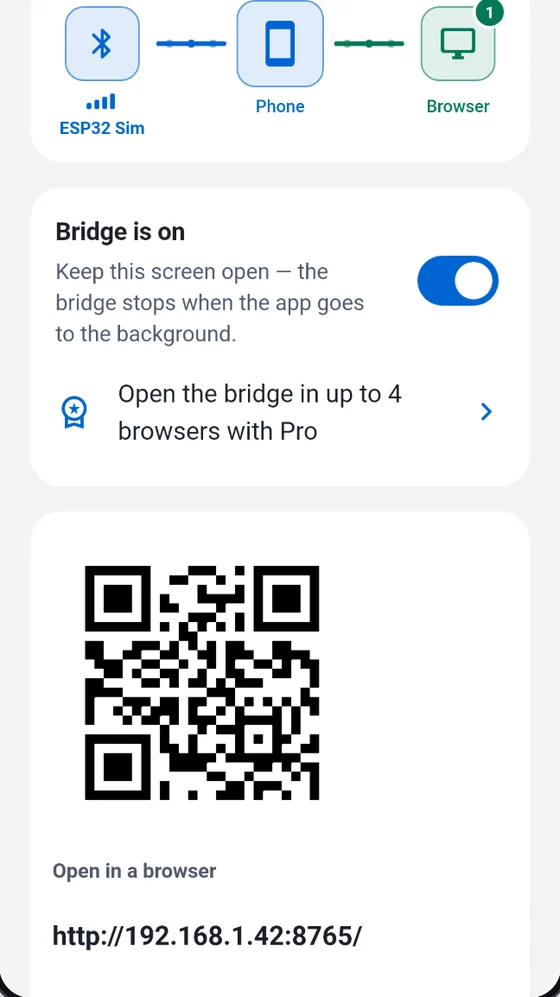
BlueTerm Bridge screen with the bridge switched on, a QR code and the local address to open in a browser

AI agents · MCP

Let your AI coding agent read the device log

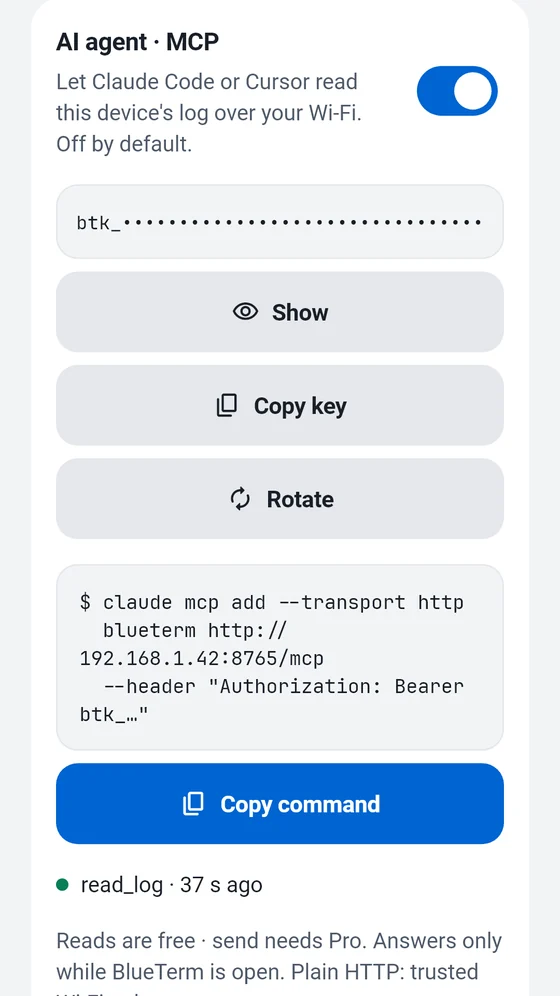
Turn on MCP on the Bridge screen and an MCP client on your computer, such as Claude Code or Cursor, can read the live log and channel values over the same Wi‑Fi while you debug firmware.

  • Reading status, the live log, channel values and captures is free
  • With Pro, the agent can also send commands — they are marked MCP in the terminal
  • Off by default, protected by its own key, and only works while BlueTerm is open
$ claude mcp add --transport http \
  blueterm http://192.168.1.42:8765/mcp \
  --header "Authorization: Bearer btk_…"
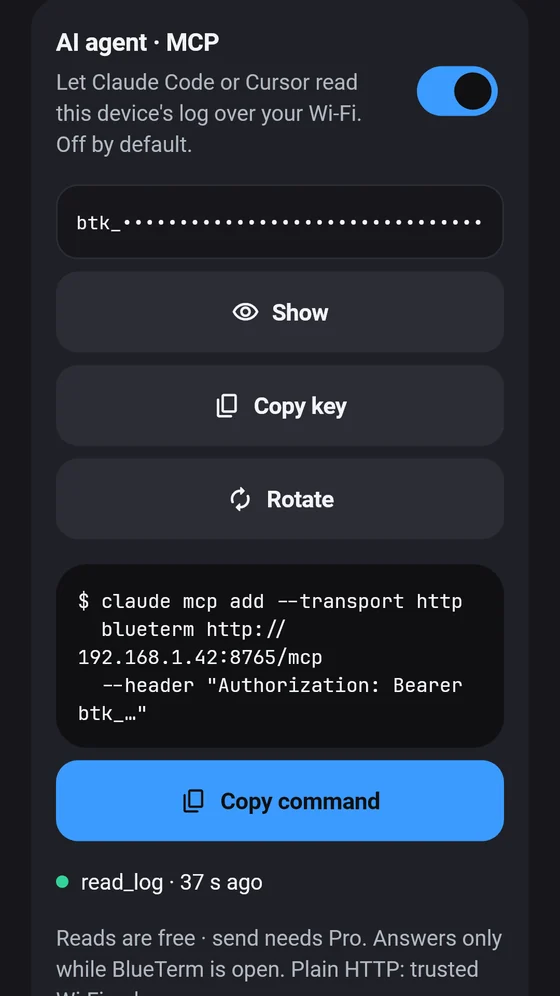
BlueTerm AI agent (MCP) panel with the access key and the command to copy into an MCP client BlueTerm AI agent (MCP) panel with the access key and the command to copy into an MCP client

Automation

Auto-reply rules and command sequences

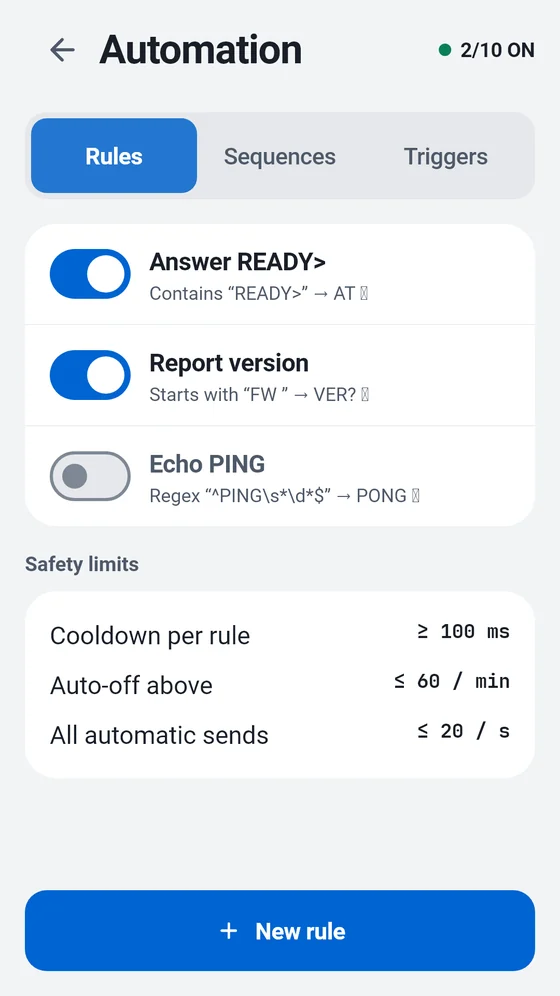
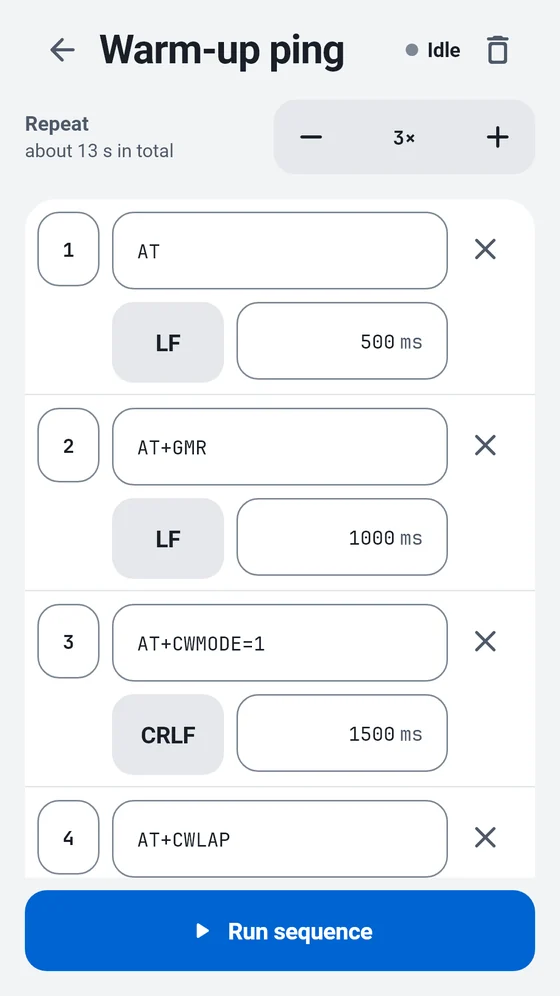
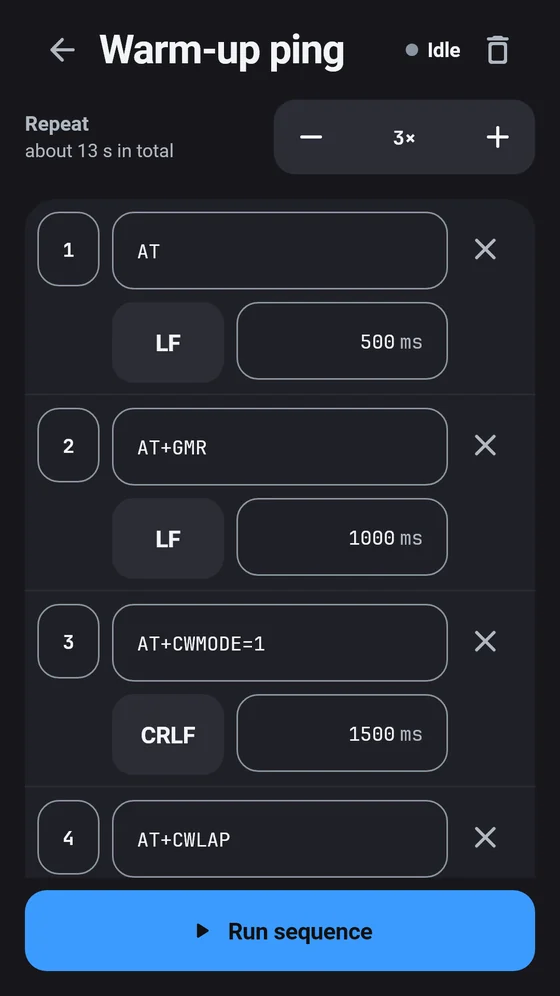
Answer a matching line automatically, or send a list of commands with delays and repeats. Built-in safety limits keep a loop from flooding your device.

  • Match plain text or a regular expression and reply instantly
  • Sequences send commands step by step, with a line ending and delay per step
  • Free: 1 rule and 1 sequence · Pro: 10 of each
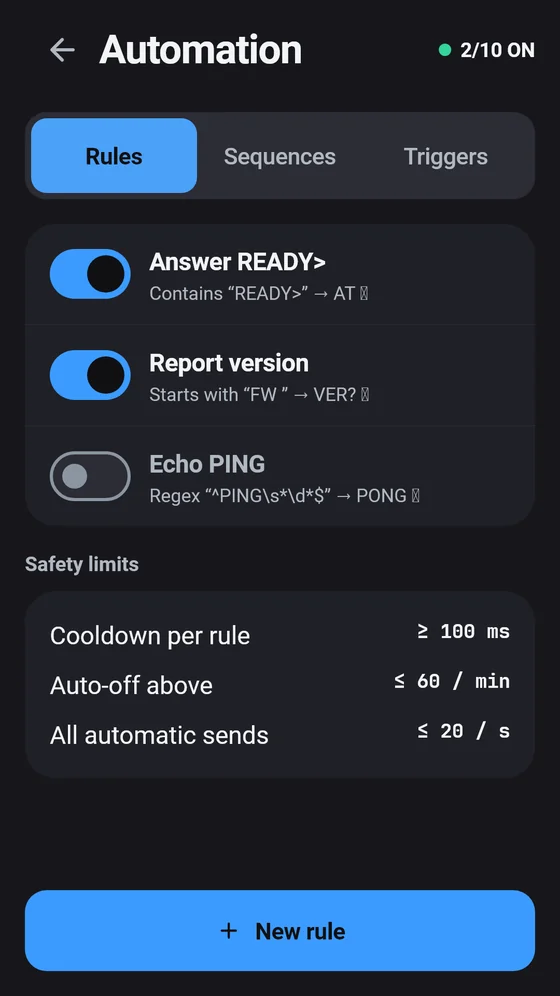
BlueTerm automation screen with three auto-reply rules and safety limits BlueTerm automation screen with three auto-reply rules and safety limits
BlueTerm sequence editor listing commands with line endings and delays BlueTerm sequence editor listing commands with line endings and delays

Trigger capture

Catch the moment a value crosses the line

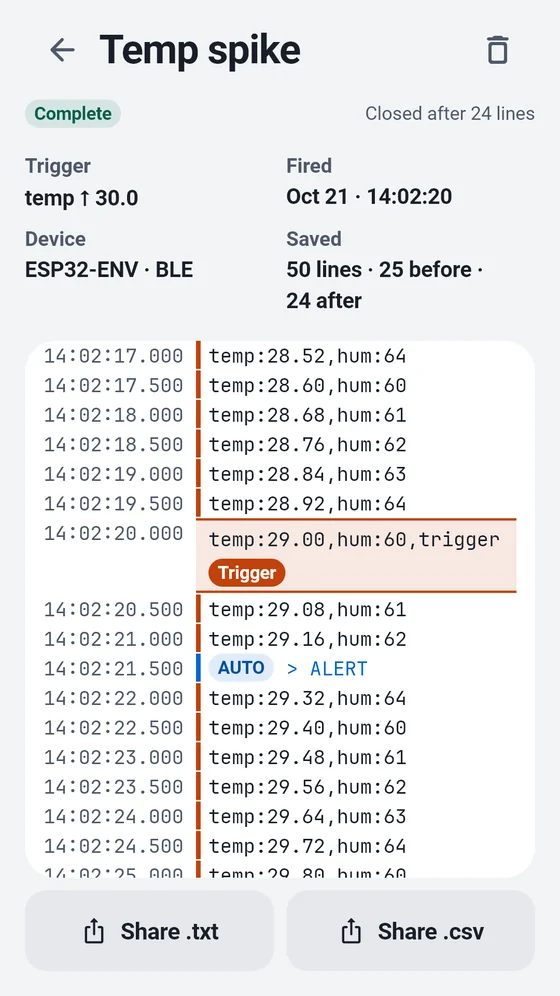
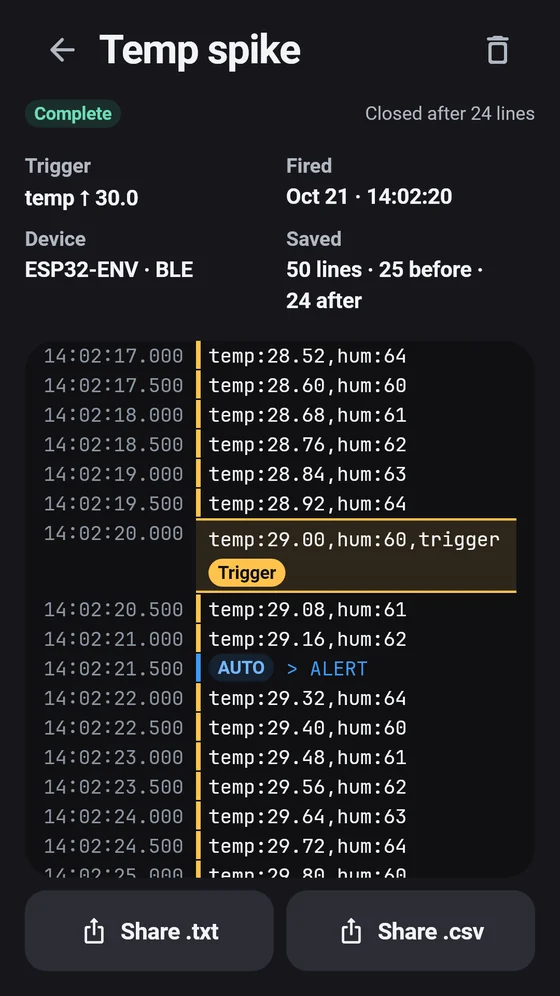
Set a threshold or a text pattern. When it fires, BlueTerm saves the lines before and after so you can review exactly what happened.

  • Trigger on a channel value or a line pattern
  • Review the captured window and share it as TXT or CSV
  • Free: 1 trigger and 3 saved captures · Pro: 10 triggers and 100 captures
BlueTerm trigger capture showing the lines before and after a temperature spike BlueTerm trigger capture showing the lines before and after a temperature spike

Live plot

Numbers become a live chart

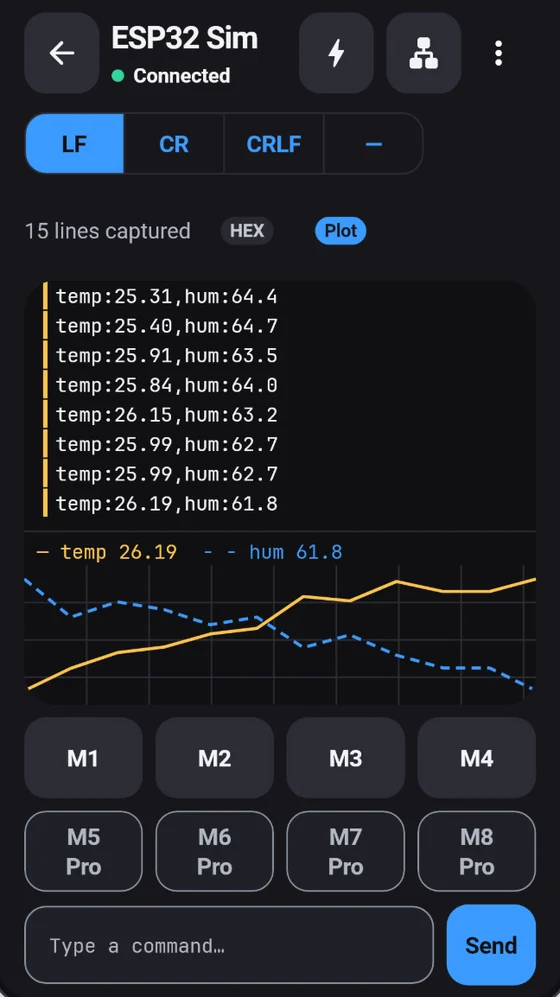
Values your device prints — temp:23.5, rpm=1200, >speed:3.14 or plain CSV — are charted in real time, in the app and in the browser.

  • Several channels at once, told apart by line style as well as colour
  • Timestamps, hex view and LF, CRLF, CR or no line ending
  • One-tap command macros: 4 free, 8 with Pro
BlueTerm terminal with a live plot of temperature and humidity values

Session history

Every session, recorded on your phone

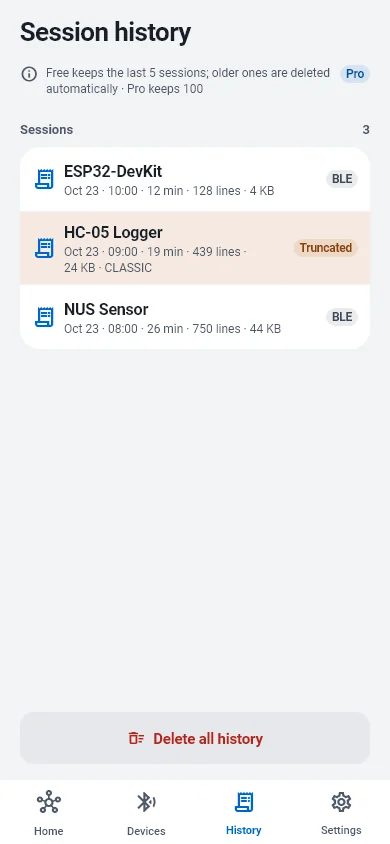
Each connection is saved on the device automatically — every received and sent line with its timestamp. Nothing is uploaded.

  • Search past sessions, share them as TXT or CSV, or delete them
  • Free keeps the last 5 sessions, Pro keeps 100
  • Long recording (Pro) writes the whole session to files of up to 50 MB, keeping the latest 20
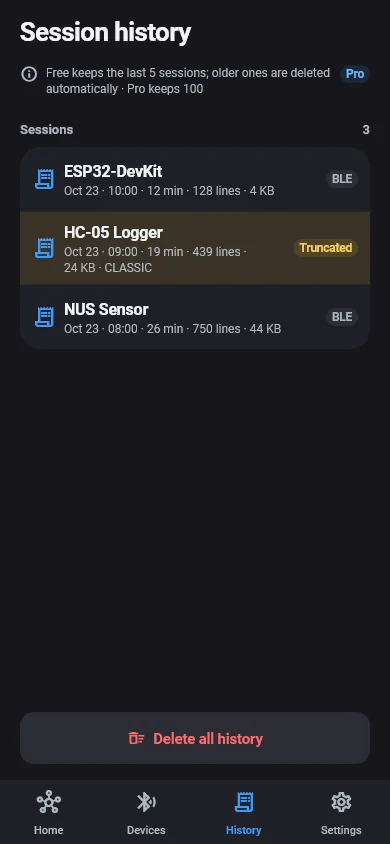
BlueTerm session history listing past sessions with device, time, line count and size BlueTerm session history listing past sessions with device, time, line count and size

Also inside

The details that make a terminal pleasant

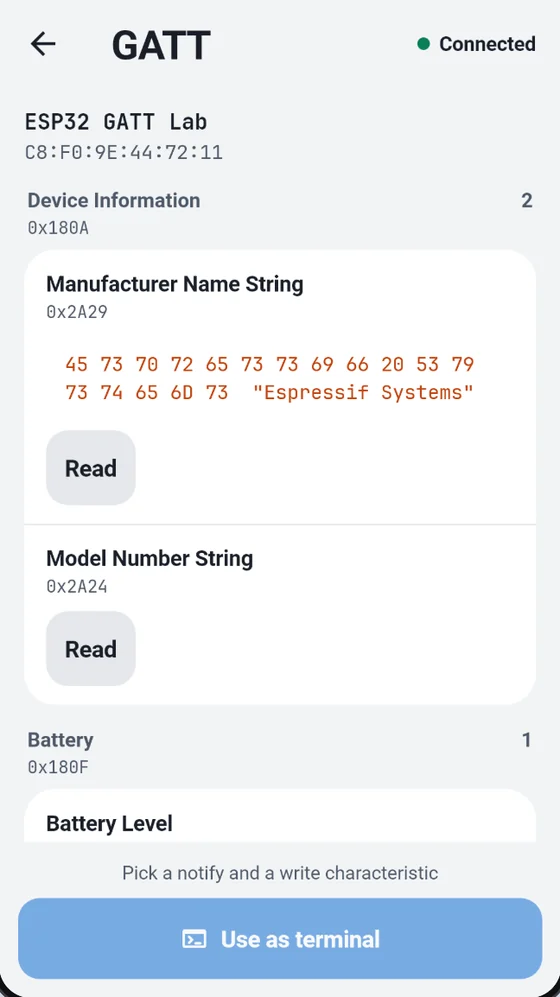
BLE with a GATT explorer

Nordic UART connects automatically. For custom UUIDs, pick the notify and write characteristics yourself.

Classic Bluetooth SPP

Paired serial modules such as HC-05 and HC-06 work on Android.

Built-in simulator

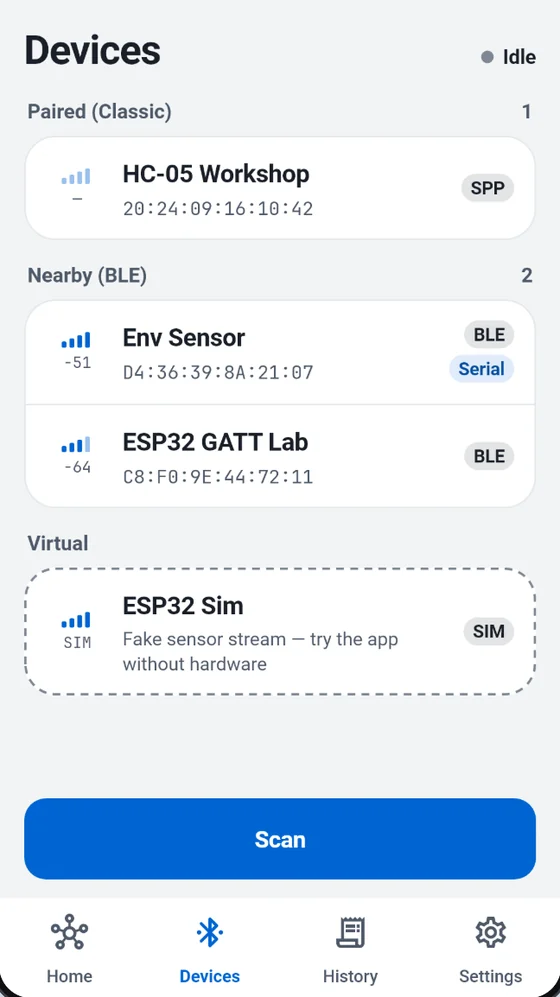
Stream sample sensor data and try every screen before you own a device.

Export what you captured

CSV or JSON through the share sheet, to iCloud Drive, Google Drive or anywhere you choose.

Reads like a real terminal

Dark screen well, monospace text, RX and TX markers, and up to 10,000 lines of scrollback with Pro.

No account, local by design

Your serial data stays on the phone and your own network. Light and dark themes, in 25 languages.

BlueTerm device list with paired Classic, nearby BLE and simulator devices
BlueTerm GATT explorer showing services and characteristics of a BLE device

Pricing

Pay once. Keep it.

BlueTerm is free to download with ads. BlueTerm Pro is a single lifetime purchase — not a subscription.

BlueTerm Pro

One-time purchase

Your local price is shown in the App Store or Google Play before you buy.

  • No subscription and no automatic renewal
  • No ads, higher limits and AI agents that can send
  • Restore it anytime with the same store account
  • No free trial — the free version stays usable
Get BlueTerm
Free and Pro limits compared
Feature Free Pro
AI agent (MCP) Read Read + send
Rules & sequences 1 each 10 each
Trigger capture 1 · 3 saved 10 · 100 saved
Long recording — 50 MB × 20
Session history 5 100
Browsers on the bridge 1 4
Terminal scrollback 500 10,000
Command macros 4 8
Ads Shown None

FAQ

Questions, answered

Which devices does BlueTerm work with?

BLE devices with the Nordic UART service (common on ESP32 and nRF52 boards) connect automatically. For BLE devices that use their own UUIDs, open the GATT explorer and pick the notify and write characteristics. On Android, paired Classic Bluetooth serial (SPP) modules such as HC-05 and HC-06 also work. No hardware yet? Try the built-in simulator.

How do I open the terminal in my computer's browser?

Connect your device, then open the Bridge screen from the terminal's top bar. Set an access password and switch the bridge on. On a computer connected to the same Wi‑Fi, scan the QR code or type the address shown, then enter the password. Keep BlueTerm open on the phone — the bridge stops when the App goes to the background.

Is the bridge secure?

Browsers must enter the password you set (at least 6 characters, or 8 if it is digits only), and repeated failed attempts are locked out. The bridge is served on your local network only and nothing passes through our servers. Because it uses plain HTTP, use it on Wi‑Fi you trust and switch it off when you are done.

What can an AI agent do in the free version?

It can read the connection status, the live log, channel values and saved captures, and wait for a pattern to appear. Sending commands to your device requires BlueTerm Pro. Commands sent by an agent are marked MCP in the phone and browser terminals.

Is BlueTerm Pro a subscription?

No. BlueTerm Pro is a one-time lifetime purchase with no automatic renewal. It removes ads and raises the limits for AI agents, automation, captures, history, browsers on the bridge, scrollback and macros. There is no free trial; the free version stays usable.

Where is my session history stored?

Only on your device. Every connection is recorded automatically. The free version keeps the last 5 sessions and Pro keeps 100; the oldest are removed first. In the History tab you can search a session, share it as TXT or CSV, delete it, or delete all history.

All questions and support →

Put your board on the big screen

Free on the App Store and Google Play. Try it with the built-in simulator before you plug anything in.

One link for any phone: blueterm.mint-soft.com/download